Sunday, April 22, 2012

LG ELectronics Viper 4G - The Platinum


The LG Viper ($100 with a new two-year contract from Sprint; price as of 4/12/12) is Sprint’s very first LTE phone. But the Android-running Viper is a little early to the game: Sprint hasn’t rolled out its 4G LTE network yet. Despite being stuck with 3G speeds, though, the affordable LG Viper packs some high-quality specs for the price. The dual-core processor handled everything I threw at it with ease, the 5-megapixel camera took good pictures, and the addition of Google Wallet is not too shabby.

Design and Display


The Viper has a “platinum” rating by UL Environment for its sustainable build and packaging. According to Sprint, the phone’s body is 50 percent recycled plastic. Earth-friendly phones aren’t generally the most stylish-looking models, but the Viper is an exception. The piano-black face is nicely complemented by a chrome border around the phone’s edges. The silver plastic backing has a “brushed” finish, giving it a sophisticated look. It feels a little chunkier than the other smartphones we’ve recently reviewed, measuring 4.59-by-2.44-by-0.46 inches thick, but it weighs a manageable 5 ounces.


The 4-inch WVGA display’s resolution is somewhat lower than top-tier smartphones at 480-by-800 pixels (the highest-end Android phones come with 1280-by-720-pixel screens). If you plan on using the Viper only to browse the Web, check e-mail, and do some casual gaming, the display should be sufficient.

Like many smartphone displays, the Viper is a little oversaturated. This was apparent in our color bar tests, where the color gradients bled into each other. It tended to wash out skin tones a little bit, too, but it didn’t add a reddish tint, as we’ve seen some AMOLED displays do.

Softwares

The Viper runs Android 2.3 (Gingerbread) with an overlay from LG and Sprint that runs atop it. The overlay is fairly lightweight and looks similar to the vanilla Android Gingerbread interface, but you’re stuck with a dedicated SprintID (Sprint’s app package service) navigation button on the display. Sprint confirmed that the Viper will eventually be upgraded to Ice Cream Sandwich, but the company did not say when we could expect that update.

Other than the permanent SprintID button, you can remove pretty much all of the carrier-added software (or, in some cases, bloatware). I wasn’t able to remove SprintZone, but I could remove Sprint NASCAR, NBA Mobile, TeleNav, and other added apps.

One useful included application is Google Wallet, which uses the built-in NFC chip in the Viper to let you make payments with your phone. For a complete overview of Google Wallet, check out our hands-on review.

Camera


I snapped a few photos indoors and out with the Viper’s 5-megapixel camera. My outdoor photos looked pretty good, with clear details and good color reproduction. My indoor photos had a bit of a dark cast to them (see the sample photo) and looked a little grainy in certain areas.

The Viper also has a front-facing camera and can shoot video in up to 1080p. As you can hear in the sample video below, the Viper's microphone was very sensitive to wind. Colors overall looked a bit dark, but the Viper could handle fast-moving objects without any artifacting or pixelation.

Performance

As mentioned, the Sprint LTE network has not been rolled out yet in the United States. Sprint recently announced that it would roll out LTE in a handful of cities in mid-2012, but San Francisco, sadly, isn’t one of them for the time being.

When you switch on the Viper, you’ll have to immediately go into the settings and turn off the LTE. If you don’t, the phone will constantly try and search for a non-existent network and drain your battery. Until LTE comes to your city, you’re stuck with 3G. One nice thing to look forward to is that Sprint will offer unlimited data on its LTE network, so you’ll be able to use your data to your heart’s content--without getting throttled.

I ran the FCC-approved Ookla Speedtest.net app to measure 3G data speeds in San Francisco. I got an average of 0.92 megabits per second (mbps) for uploads and an average of 1.83 mbps for downloads in various parts of San Francisco. These are pretty good speeds for 3G, but nowhere near some of the LTE 4G speeds we’ve seen on AT&T's and Verizon’s networks. For example, the Nokia Lumia 900 achieved an average download speed of 13.27 megabits per second and an average upload speed of 7 mbps in San Francisco.

The Viper might be a “budget-friendly” phone, but it’s no slouch. Powered by a dual-core 1.2GHz Qualcomm Snapdragon S3 processor, the Viper felt snappy throughout the user interface. I loaded a couple of graphics-heavy games on the Viper including Osmos, Edge, and the World of Goo. All three games ran smoothly, without any issue. I also ran two different benchmarks on the Viper: Qualcomm’s Vellamo benchmark and the third-party Quadrant benchmarking app. According to Quadrant, the Viper got a score of 3009, considerably higher than the Samsung Galaxy Nexus, which got a score of 2000. On Vellamo, the Viper scored 1221, which also put it ahead of the Galaxy Nexus.

Call quality over Sprint’s network was okay. The Viper was extremely sensitive to external noise, such as wind or passing cars. On a particularly windy day in San Francisco, I couldn’t hold a conversation without my friends on the other end asking me to repeat myself—the wind had completely overpowered my voice. Indoors, the Viper did a lot better. My friends’ voices sounded clear and natural, while they reported that they could hear me perfectly.

We have not yet completed our formal battery tests, but we will update this review once the results are in. In my hands on use, however, battery life wasn’t very good on the Viper. It seemed slow to charge, and I had to plug it in twice during a full day of fairly heavy use.

Bottom Line

The LG Viper is a solid introduction to Sprint’s incoming family of LTE phones—even though there isn’t a Sprint LTE network yet. The Viper might not be a top-of-the-line smartphone, but its dual-core processor keeps it running smoothly, and the camera snaps solid photos. But the Viper seems as if it is jumping the gun a bit. Being stuck on a 3G network with an LTE-capable phone is a little sad; and while Sprint did say the Viper will get the Ice Cream Sandwich upgrade, there’s no telling when that will be. If you don’t mind waiting for Sprint to switch on its LTE network (especially if you live in one of the first few cities on Sprint’s roll-out list), the Viper is a good choice. If you’re looking for higher-end LTE phones on Sprint, you might want to wait a bit and go for the incoming HTC Evo 4G LTE or the Samsung Galaxy Nexus.

Source : PCWorld

Wednesday, April 4, 2012

Samsung Galaxy Tab 7.0 Plus


Samsung Galaxy Tab 7.0 Plus 16GB (Dual Core, Universal Remote, WiFi)

Introduction:

Hard to believe it, but it has been only a year since the Samsung Galaxy Tab came knocking on our doors bringing Android into the tablet market. In that short time, we’ve surely seen our fair share of quality products. Even though the original model didn’t quite have a profound impact during its time, namely because of its out of character pricey purchase cost, its siblings in the face of Galaxy Tab 10.1 and 8.9 seemingly fared considerably better. Back for round two, the Samsung Galaxy Tab 7.0 Plus reinvigorates the original line with some upgraded hardware and Android’s tablet optimized platform Honeycomb – thus, possibly resulting in better adoption this time around.

Samsung Galaxy Tab 7.0 Plus Review
The package contains:

  • USB cable
  • Wall Charger
  • Stereo Headphones
  • Guides


Design:

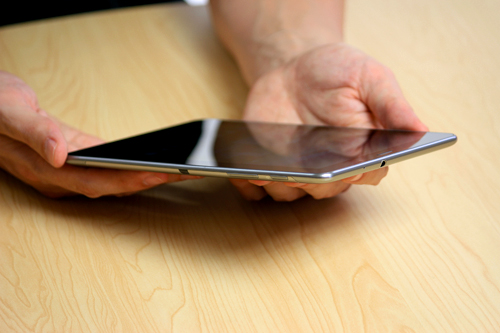
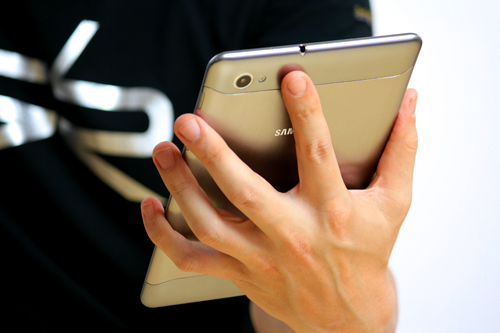
The Galaxy Tab 7.0 Plus sticks with the design characteristics established by the Tab 8.9 and 10.1. Although it’s not the sleekest (0.39” thick) of the bunch, it’s still compact enough to hold with one hand, and at the same time, it’s sturdy in build to instill us with some confidence of durability against the elements. Yes, it might appear to be a metallic exterior, but in fact, it’s nothing more than a plastic casing, which contributes to its lightweight figure (12.17 oz).

The Samsung Galaxy Tab 7.0 Plus is compact enough to hold with one hand - Samsung Galaxy Tab 7.0 Plus Review

The Samsung Galaxy Tab 7.0 Plus is compact enough to hold with one hand


Samsung Galaxy Tab 7.0 Plus Review

We’ve been fond of the PLS LCD displays used by Samsung’s recent line of Galaxy Tabs, and rightfully so, we’re feeling a bit of the same way with the 7” 1024 x 600 PLS LCD display being used by this one. The resolution is right there with the rivals as it’s able to produce tolerable and distinguishable details. Naturally, some might be taken back by Samsung’s choice to use a PLS LCD display, especially when the Galaxy Tab 7.7 features an AMOLED panel, but we’re grateful to find its color reproduction to be on the natural and realistic side – as opposed to the overly saturated tones exhibited by AMOLED.

The Samsung Galaxy Tab 7.0 Plus uses a 7” PLS LCD display - Samsung Galaxy Tab 7.0 Plus Review

The Samsung Galaxy Tab 7.0 Plus uses a 7” PLS LCD display


One can easily confuse the tablet to be a super-sized smartphone, namely because of the narrow earpiece and front-facing 2-megapixel sitting above its display when it’s held in portrait.

Samsung Galaxy Tab 7.0 Plus Review
2-megapixel front-facing camera - Samsung Galaxy Tab 7.0 Plus Review

2-megapixel front-facing camera


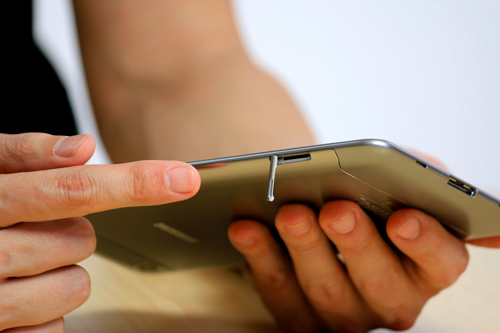
Along the left side of the device there are a microSD slot, and a SIM card slot if you happen to pick up the cellular enabled version of the tablet.
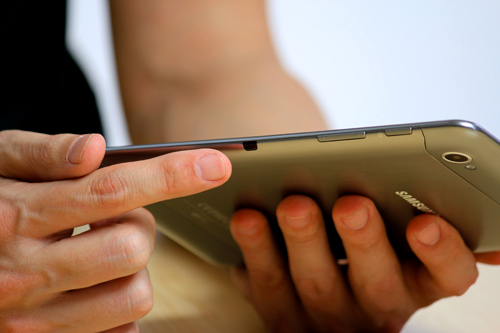
Another peculiarity is found on the right side, where we have an infrared port, which combines with the Peel Smart Remote app to offer us some light home theater functionality. Finally, Samsung continues to utilize a proprietary charging port for its tablets, which is very similar to that 30-pin connector found with all iOS devices. So, don't think you'll get away with your trusty microUSB cable.

Charging port (bottom) - Samsung Galaxy Tab 7.0 Plus Review
microSD and SIM card slots (left) - Samsung Galaxy Tab 7.0 Plus Review
3.5mm jack (top) - Samsung Galaxy Tab 7.0 Plus Review

Charging port (bottom)

microSD and SIM card slots (left)

3.5mm jack (top)


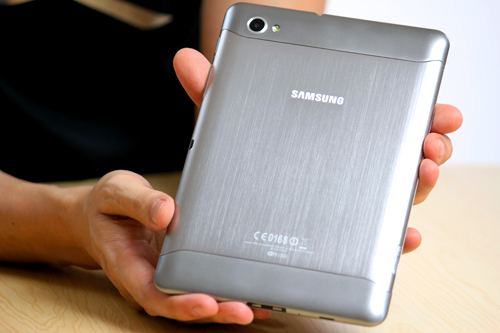
Turning our attention to the rear of the tablet, we’re again seeing it sporting the same 3.2-megapixel auto-focus camera with LED flash used by its siblings.


Samsung Galaxy Tab 7.7

Samsung Galaxy Tab 7.7 WiFi+3G P6800 16GB


The 7 inch Android tablet market has been rather hit and miss so far, with the first iteration of the Galaxy Tab being the only real contender and most of the focus on the 10” category, and for good reason – that’s been the mainstay of Apple’s iPad up till now, and manufacturers have been innovative and creative with their offerings in order to stay relevant and have a chance of competing in that space.

The Galaxy Tab 7.7 takes a completely different tact, being lighter and slimmer than, well, any Honeycomb-based tablet we’ve seen so far. Compared to the original Tab which relied on a reworked mobile phone OS, it’s a much more mature product and fits snugly between a smartphone and large screen tablet. This may actually be the product to redefine what a small screen tablet is capable of.

Small, sleek and ready to slip into any size handbag or pouch.

Spec-wise, the Galaxy 7.7 is powered by a dual core 1.4GHz processor with 1GB of RAM, and will apparently come in three flavours – 16GB, 32GB and 64GB. It has N wireless on board, Bluetooth 3.0 and has a built-in GPS.

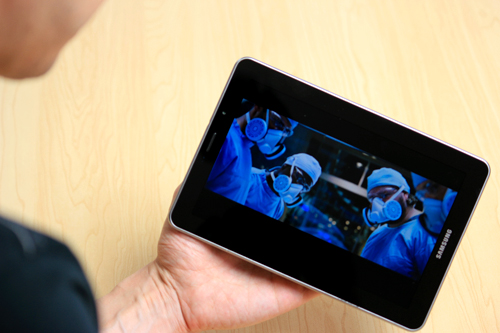
Samsung’s new 7 inch Android tablet sports a slightly larger screen, at 7.7 inches, but offers the exact same resolution features as its 10” cousins – 1280 x 800. Combine that with the Super AMOLED Plus screen, and you’ve got gorgeous detailed images and bright, rich colours. Because the pixels are so densely packed together, the screen display is second-glance-worthy. The small amount of video files we had played back smoothly in high definition.

Video playback up to 1080p on the Galaxy Tab 7.7.

I really haven’t held a tablet as light as this one. It’s only 340 grams, but it’s hard to describe what that means after holding various iOS, Android and Windows tablets – sure, this one is smaller than they are in terms of size, but the experience of holding one is amazing. I once commented in an earlier article how I’ve injured myself by falling asleep and dropping a first gen iPad on my face while reading… you’re in no danger of self-mutilation or embarrassment here.

Audio is pumped through these stereo speakers either side of the proprietary connector.

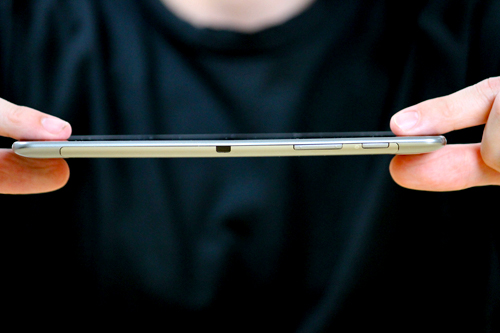
Did I mention how thin the Galaxy Tab 7.7 is? We’ve seen the Transformer Prime come in at 8.3mm, but the 7.7 takes “slim” to yet another level – it’s a sliver of a tablet at 7.89mm. To pick it up and rotate its dimensions in your hand is quite the chuckle producer – you don’t believe how thin and light it actually is.

Ridiculously thin... The Galaxy Tab 7.7 is lighter and thinner than pretty much any tablet on the market.

This is definitely a one-handed tablet – your fingers do need to spread, but you can also cup your fingers and hold it for a long time without fatigue. The cool metal backing does equalise with your hands temperature after a while, but put it down and the cold feel of stainless steel will once again greet your fingertips.

That’s a great segue into the materials and construction of this latest Samsung Galaxy Tab. Some other 7 inch Android tablet offerings have been rather thick, and felt a little fragile – squeeze the body and creaks have been heard from lesser machines. The engineering on the 7.7 is superb, we could detect no give between the body and screen; they are almost fused together. The metal back provides a stiffness and therefore top-shelf handling experience.

Maybe it's my long fingers that make this pic look odd... In any case the Galaxy Tab 7.7 is easily held in one hand, piano fingers or not.

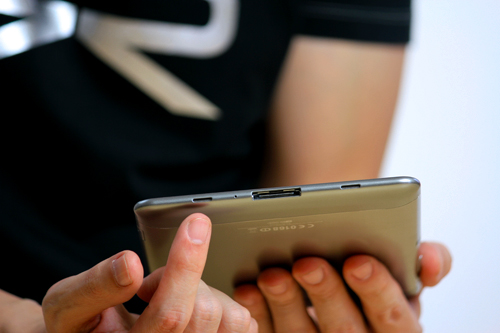
Walking around this tiny pocket rocket and you can see how Samsung have achieved this degree of slimness: like the iPad and its own family of tablets, the Galaxy Tab 7.7 keeps ports down to an absolute minimum. All we have are a headphone jack, a micro SD card slot and Samsung’s proprietary 30-pin connector. Where most tablets try to offer a complete solution with inputs and outputs, particularly to differentiate against the iPad, the 7.7 follows its own path and offers instead adapters that can be fitted to connect various outputs.

Blink and you'll miss it... An external port on the Galaxy Tab 7.7, in this case a Micro SD Card Slot.

Is that going to be an issue for users? Based on the interest in the 10.1, which offers the same limited connectivity, no. It’s actually more sensible for this Galaxy Tab to eschew those I/O burdens as it’s probably closer to a smartphone than a tablet in some respects (the screen is actually a larger clone of the Galaxy S II). The option is there but you have to really feel the need in order to go to the effort of purchasing an adaptor.

The brushed metal back provides great rigidity to the Galaxy Tab 7.7.

Like all other HoneyComb tablets, there is a front and back camera setup, with a 2 megapixel camera on the front and 3 megapixel camera on the back. The back camera has an LED flash and 720p HD video recording capability. I think there is an inverse proportional relationship of the number of shots taken on a tablet to the size of the screen. Because the 7.7 is so light, it’s much easier to be spontaneous and shoot some off-the-cuff pics and video.

3MP camera and LED flash... The smaller the tablet, the more this will get used.

There is one black dot on the Galaxy Tab 7.7, but its existence helps give it a gold star for functionality. The black dot (not figuratively speaking, an ACTUAL black dot) on the side of the 7.7 is an infra-red transmitter. There is a program pre-installed on the 7.7 called Peel, and it actually converts the 7.7 into a universal remote control. If you’ve ever found remote controls to be clunky or not really that helpful, Peel may change your view on that.

Now not only do I not have to get up to change the channel, I don't even need to find the remote. She says lazy, I say efficient.

Setting it up is a breeze, and so is the actually use, just point at the device you’ve programmed in and it’s as if you’re using the original remote. But this functionality is a stunner, because you can browsing, reading or playing a casual game, use Honeycomb’s built-in multitasking to switch to Peel, change the channel/volume/input, and switch back to your previous activity, and the 7.7 never leaves your hands.

Software-wise, the Galaxy Tab 7.7 uses the same Touch Wiz overlay that their smartphones use, making the transition for Galaxy phone users a no-brainer. There is improved software such as video editing, image editing and even image management, letting you sort by a range of different criteria such as size, location (if geotagging can be found) or date/time.

Galaxy S II users will find no trouble using the Galaxy Tab 7.7.

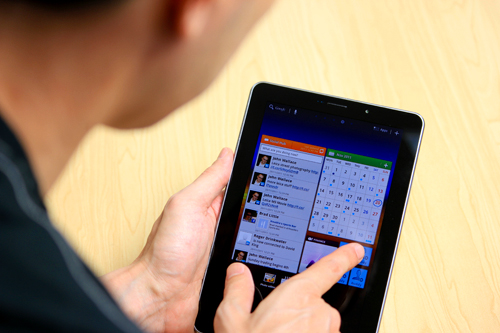
The Galaxy also retains the “Hub” areas of the smartphone, and apparently the Music Hub will be available soon as well, but only for music, not for videos. I tried the Social Hub out and I liked its aggregation of my different social feeds in one easy to view panel. Being Honeycomb, this is a live widget that updates on screen so you can snack on bite-sized pieces of your connected world.

Manage all your social feeds into one panel on the Galaxy Tab 7.7.

The 7 inch Android tablet market is not as big as the 10 inch segment, by any means. It looks like Samsung has managed to carve itself a little niche with a product that doesn’t rely on third party programs to succeed, and adds little quirky features like remote control and revamped image/video apps into its sleek shell to give users a true out-of-the-box experience.

Best Price Samsung Galaxy Tab 7.7 WiFi+3G P6800 16GB is $599.99


Source : http://ritchiesroom.com